Input all your data in Excel Sheet.
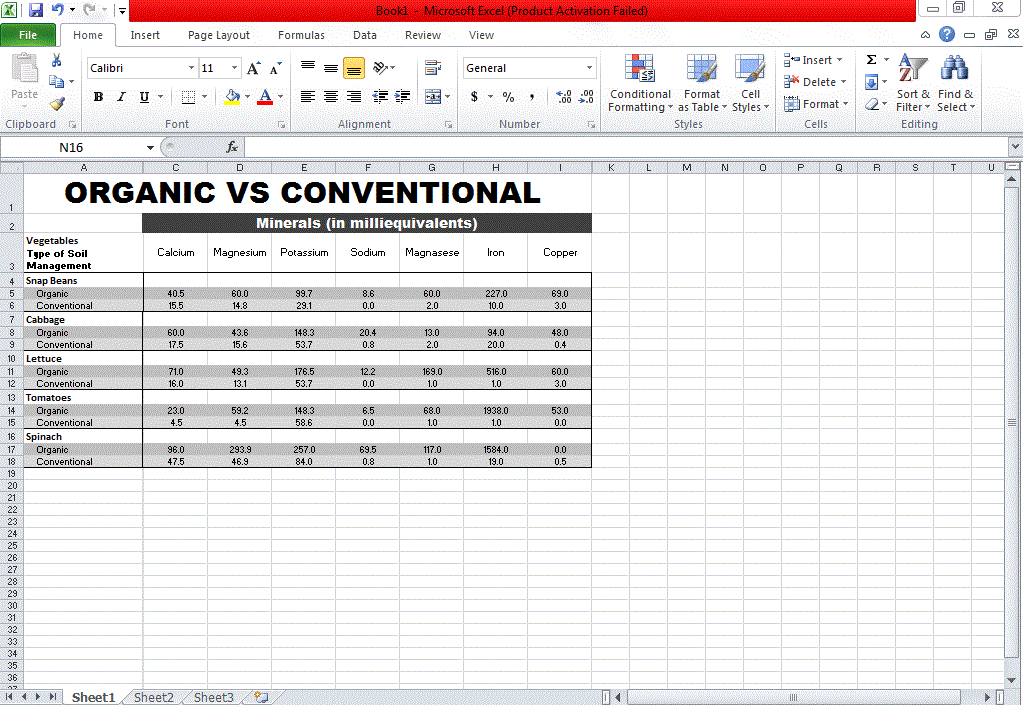
Select the data area with which you want to make Graph.
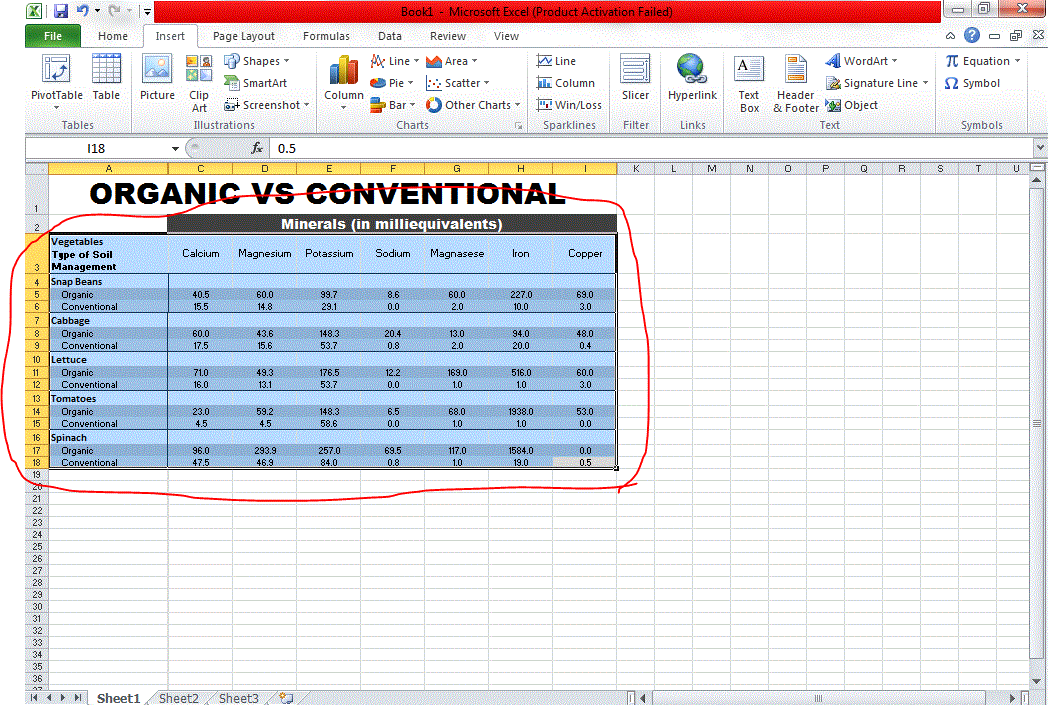
Click on Insert tab. Now chose what type of graph you want to make Column, Line, pie or Bar.
Now you will get your Graph ready.

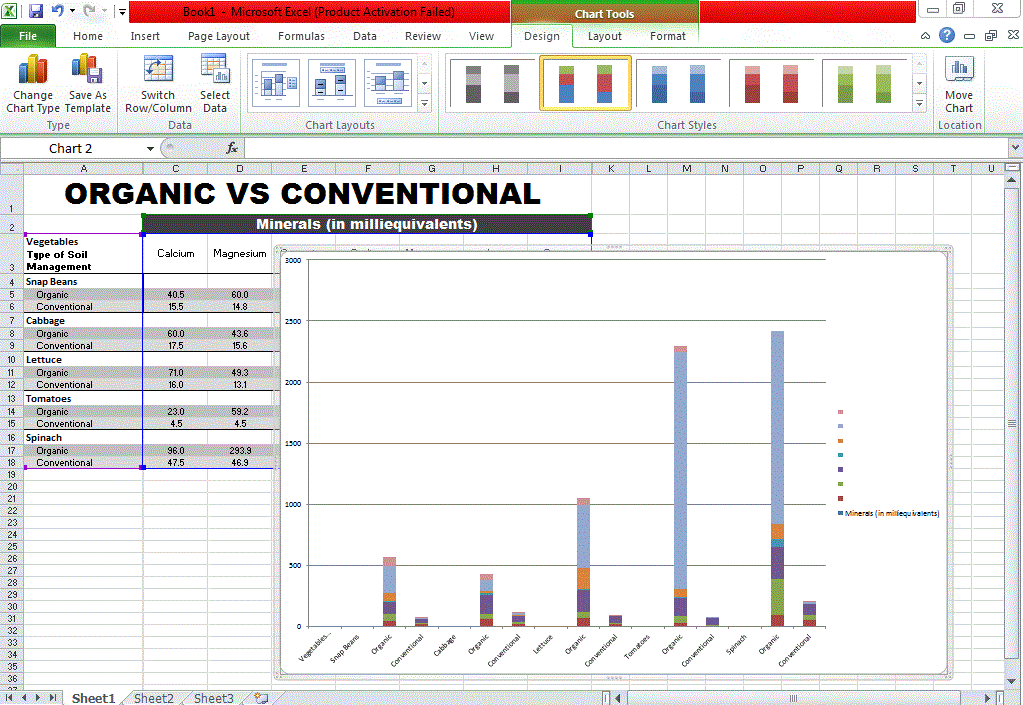
Step 4:
Click on the border of the graph and copy it.

Open Paint and paste it over there.

Now click on the arrow you see on the selected red circle. Than click Save as. Now select the folder on your Computer. Name the file and click Save.

It's Done!!!
